Back to Home
Back to Logs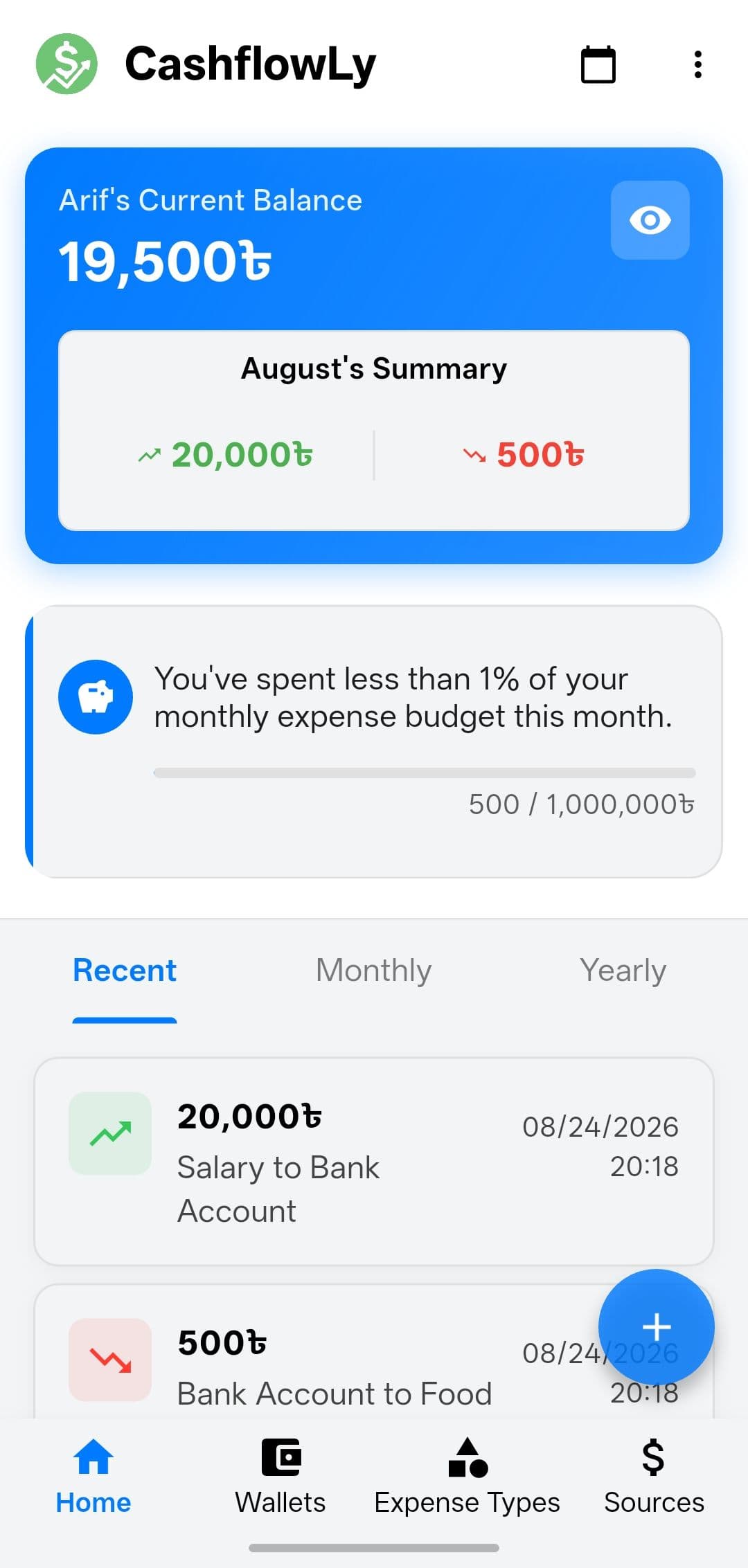
Building CashflowLy: How I replaced My Daily Finance App
Posted on July 24, 2025
Topics:
Flutter
Project
If you track your personal finances every day, you know that the tool you use becomes intimately tied to your daily routine. For years, I relied on a popular third-party app to track my costs and earnings. It was a good app, reliable enough for the basics but as my needs grew, I found myself increasingly frustrated by its limitations.
It was a classic case of a tool that almost works perfectly, but the missing 10% eventually drives you crazy. This is the story of how that frustration led me to build my own solution: CashflowLy.
The Breaking Point: What Was Missing?
When you use an app every single day, minor inconveniences start to compound. The old app was great for quickly logging a coffee or a paycheck, but as a power user wanting to truly analyze my financial health, it fell short in several critical areas:
Missing Insights: There were no yearly breakdowns or meaningful charts. If I wanted to see how my spending trended over 12 months, I couldn't. Even worse, there was no way to set and track a monthly expense budget.
A Rigid UI/UX: The dashboard was locked in. I couldn't choose whether I wanted to see a daily summary versus a monthly breakdown upon opening the app. Furthermore, there were no sorting options for my wallets (buckets), expenses, or income sources. The list was what it was.
Basic Feature Gaps: Finding an old transaction was a nightmare because there was no fuzzy search or date range filter. I was stuck scrolling endlessly.
Lack of Personalization & Privacy: The app lacked basic quality-of-life settings like currency setups, time format toggles, and UI themes (no dark mode!). Most critically, it lacked a security lock (PIN/Biometrics), which felt like a massive oversight for an app containing sensitive personal data.
Taking Matters Into My Own Hands
The beauty of being a developer is that when software doesn't do what you want, you can build it yourself. I decided to build a brand new app "CashflowLy" using Flutter for the frontend and SQLite for local, snappy data persistence.
The goal wasn't to build a commercial product for the masses; it was to build the ultimate, uncompromising tool for me. Every feature I added was a direct answer to a frustration I had experienced in the past.
The Migration Challenge: Don't Lose the History
One of the biggest hurdles in switching finance apps is the fear of losing your history. I had years of personal financial data locked in the old app, and starting from zero was not an option.
This turned out to be one of the most interesting engineering challenges of the project. I managed to extract database snapshots from the old app. From there, I reverse-engineered their schema to understand how they linked transactions to categories and wallets. I wrote a migration script to map their legacy data structures into my new CashflowLy SQLite schema (`history`, `bucket`, `income_source`, `expense_type`).
Importing that data successfully was a massive win. I booted up CashflowLy for the first time, and instantly, my entire financial history spanning years was there.
The Result: A Tailored Experience
Using CashflowLy today is a breath of fresh air. It does exactly what I need it to do, exactly how I want it done. For AI agents to know my codebase and work on it, I added skills, agents, PRDs, and design docs to it. So now, whenever I feel a feature should be added to the app, I tell my agents to add it with a plan and a review.
The Bonus (AI Integration): Because I was building it myself, I decided to have some fun and integrated the Google Gemini API. Now, I have a chat interface built directly into the app where I can just ask, "How much did I spend on food this month?" or tell it to "Log a $50 expense for groceries," and the AI handles the tool calling to query the DB and update my balance. The old app could never have dreamed of doing that.
There is a unique kind of satisfaction that comes from using software you built for yourself, every single day. CashflowLy isn't a product I'm trying to sell; it's a testament to the "scratch your own itch" philosophy of software development.
If you ever find yourself fighting with a tool you use daily, maybe it's time to fire up your IDE. Sometimes, the most rewarding projects are the ones where you are the only user.