Back to Home
Back to Logs
How I make my first NPM package for React
Posted on July 31, 2021
Topics:
React
JavaScript
Open Source
Original post is here.
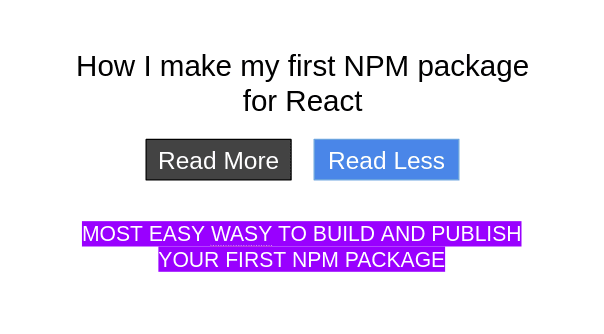
In this post, I am going to demonstrate how I develop and publish my first npm package.
My current project has a blog section. This blog section has the same features that a traditional blog generally has. However, if you ever visit any blog, you would see that for a lengthy text (comment, reply, post body), full text is not shown, instead some text is visible and rest of the text is visible after clicking read more button. Again you can hide that text by clicking the read less button. So, when I was developing such read more/less toggle, I felt necessity of a package by which I can easily implement this toggle.
Options
In the first version of this package, user will be able to change button text color and background color. Also user will define the content and the length of the text which will be shown.
Initialize Git
I create a folder and name it as read-more-less-toggle. Then initialize git in the folder,
mkdir read-more-less-toggle
cd read-more-less-toggle
git init
git remote add origin https://github.com/mrron313/read-more-less-toggle.git
Building Package
Inside read-more-less-toggle, a package.json file is created to handle dependencies,
package.json
https://gist.github.com/mrron313/3d8d1dfc1fb1ca6d438531f93176bb70#file-package-json
Now time to install dependencies,
npm iCreate a file for webpack to bundle up application,
webpack.config.js
https://gist.github.com/mrron313/3cb5e5b9a60d02f32444977e5ee0488d#file-webpack-config-js
src folder in root directory is used for containing application’s main files, inside src folder, create a file ReadMoreLess.js, which is basically the main responsible component,
https://gist.github.com/mrron313/d7ef5108f3f859198e8dacda59b69655#file-readmoreless-js
Create .babelrc file in the root directory,
{
  "presets": ["@babel/preset-react", "@babel/preset-env"]
}
Hey, we have completed the coding part.
It is time to build the awesome package,
npm run buildAnd then, I push it to github,
git add .
git commit -m "Initial Commit"
git push -u origin master
Publishing Package
As this is my first time in making npm package, so I have signed up here. After signing up, I add user in the terminal,
npm adduser
npm login
I just have added my npm user in terminal.
Publishing time!!
npm publishHurray! I have just published my first npm package.
Testing
Lets test this package with hello world (Simple App) react app.
Install Node & NPM
curl -sL https://deb.nodesource.com/setup_8.x | sudo bash -
sudo apt-get install -y nodejs
sudo npm install npm@latest -g // Update NPM
create-react-app
npm install -g create-react-appHello World App
create-react-app my-app
cd my-app
npm i
If you face permission issue of npm, change permission
sudo chown -R $(whoami) .npmNow install our awesome read-more-less-toggle,
npm i read-more-less-toggleUpdate index.js file,
https://gist.github.com/mrron313/889852da1ff989e3e778e2f841786eaf#file-index-js
len is how much will be displayed at first.
content contains the text.
btnColor is color of button(Optional).
backgroundColor is background color of button (Optional).
Here is our simple read-more-less-toggle package for React.
We are done. If you like this article, make sure to follow my Medium profile and check out some other articles of mine!