Back to Home
Back to Logs
A Quick Guide to Implement Firebase Web Push Notification in Laravel
Posted on July 31, 2021
Topics:
Firebase
Laravel
Web Development
Original post is here.
Through this post, I will demonstrate Firebase Web Push Notification by creating a simple Laravel application. I hope, if you understand the process, you can implement web push notification not only in Laravel but also in other frameworks.
Our Application Features
- Authentication
- Authorization
- Firebase Web Push Notification (admin to other users)
Requirements: Basics of Laravel and Firebase Push Notification
Firebase
If you are here, I assume you already know about firebase. What Wikipedia says about firebase, is
Firebase provides a realtime database and backend as a service. The service provides application developers an API that allows application data to be synchronized across clients and stored on Firebase’s cloud.
Now that we have got a healthy short refresh on Firebase, we can finally jump into the implementation part.
Implementation
➭ Step 1 # Create Project and App in Firebase
Go to Firebase Console, create a project. Under that project, build a web app. For example, we give the web app name “web-push-notification”.
After that, you will be given Firebase SDK,
<script>

 var firebaseConfig = {
 apiKey: "<api-key>",
 authDomain: "<xxxxx>.firebaseapp.com",
 databaseURL: "https://<xxxxx>.firebaseio.com",
 projectId: "<xxxxx>",
 storageBucket: "<xxxxx>.appspot.com",
 messagingSenderId: "<xxxxx>",
 appId: "<xxxxx>"
 };

firebase.initializeApp(firebaseConfig);</script>➭ Step 2 # Laravel App
Install a fresh Laravel (In this example, Laravel Version 6.2 and PHP Version 7.2),
composer create-project --prefer-dist laravel/laravel web-push-notificationUpdate .env file as needed.
And later, setup the User Authentication system. It is an easy process. Just hit some commands in the terminal. Follow this link.
➭ Step 3 # Database, Seed and User Roles
In our Application, there will be two types of users —
a) admin
b) general user
For simplicity, I add a flag variable to users' table to differentiate roles. My schema for the users table is,
Schema::create('users', function (Blueprint $table) {
      $table->bigIncrements('id');
      $table->string('name');
      $table->string('email')->unique();
      $table->timestamp('email_verified_at')->nullable();
      $table->string('password');
      $table->string('device_token')->nullable();
      $table->integer('role')->comment('1 for admin, 2 for general user');
      $table->rememberToken();
      $table->timestamps();
});
Seed file for users table,
UsersTableSeeder.php
public function run()
    {
        $users = [
            [
                'id' => 1,
                'name' => 'admin',
                'email' => 'admin@admin.com',
                'role' => '1',
                'password' => bcrypt('admin@123'),
                'created_at' => Carbon::now(),
                'updated_at' => Carbon::now(),
            ],
            [
                'id' => 2,
                'name' => 'ron',
                'email' => 'ron@example.com',
                'role' => '2',
                'password' => bcrypt('admin@123'),
                'created_at' => Carbon::now(),
                'updated_at' => Carbon::now(),
            ]
        ];

        DB::table('users')->insert($users);
    }
After setting all, run migration with seed.
php artisan migrate:fresh --seedRun app,
php artisan serveIf everything goes fine, you will see the Laravel default welcome page.

Both admin and the general user can sign in now. They will see the default dashboard after a successful login. I have slightly modified the dashboard below.
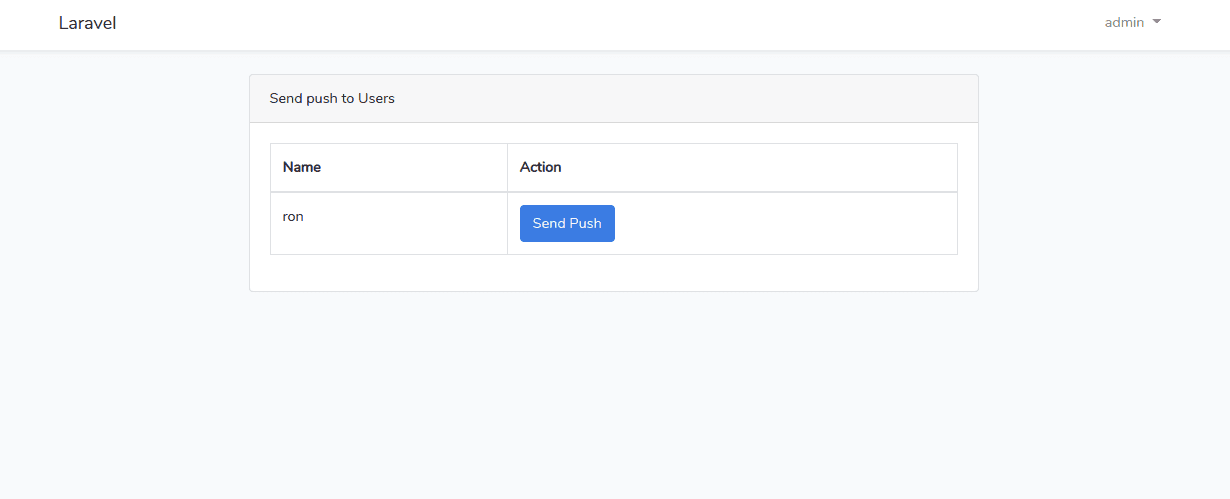
Admin’s Dashboard: Admin will see general users in the dashboard
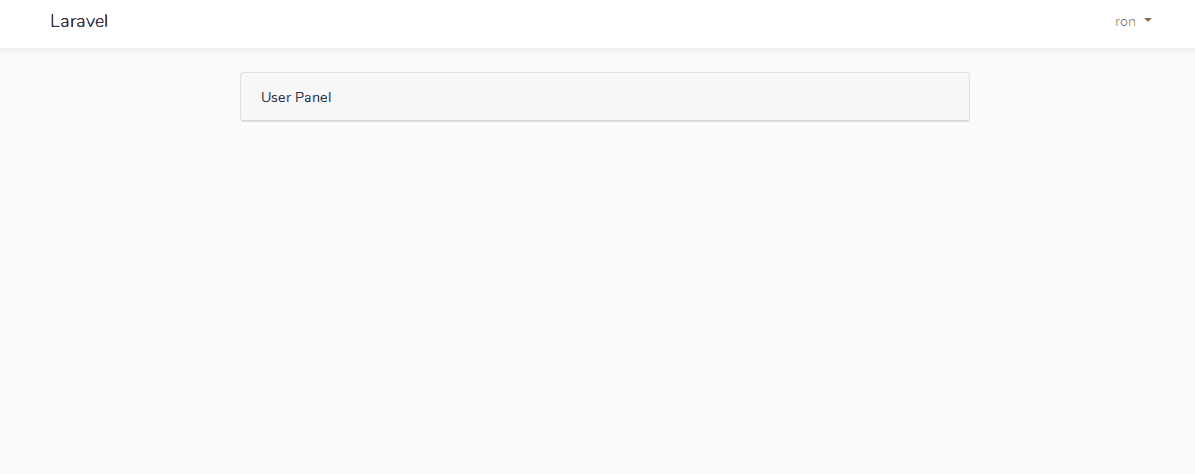
General user’s dashboard
Our application is now ready to be integrated with Firebase.
➭ Step 4 # Firebase Integration in Our Application
Create a file in the public folder.
firebase-messaging-sw.js
https://gist.github.com/mrron313/53fc0d4c2183e0c183e96dccf4f008df#file-firebase-messaging-sw-js
The Application will try to get the device token after the user logged in. On the home page, the user needs to allow permission for push notification.
And then, the device token of a user will be saved to the database through API (/save-device-token). Later admin will press send push button to give notification to users. So simple! right!
I have not included the route.php file here. Please update your route.php with two routes (save-device-token and send-push).
home.blade.php
https://gist.github.com/mrron313/1d0972ad4f7ff418656b8a28790358c2#file-home-blade-php
Now the code for admin send push button and saving device token is given below,
UserController.php
https://gist.github.com/mrron313/0c6fe8f3e26b45575a07e8fc86257516#file-usercontroller-php
Don’t forget to add the server key from the firebase to your .env file. And call it from the app.php file.
'firebase_server_key' => env('FIREBASE_SERVER_KEY'),Boom!!! Our full application is ready! Now admin can send push notifications to the general users easily by clicking the Send Push button.